Hi, How Can We Help You?
  • Address: 1251 Lake Forest Drive New York
  • Email Address: assignmenthelpcentral@gmail.com

Blog

April 26, 2024
April 26, 2024

GEOG 1301 Physical Geography

Overview and Instructions

This assignment consists of 3 parts. The first part involves checking out a video featuring the desert biome and answering some questions based on that video. Next, you’ll be you’ll be tasked with reviewing a biome map on the ArcGIS/ESRI website and answering some questions based on what you observe there. Lastly, you’ll be navigating to Google Earth and answering some questions about the Leuser Ecosystem. The goal of this assignment is for you to gain a greater understanding of some of the elements that help define our planet’s biosphere.

GEOG 1301 Physical Geography

Part 1.

Watch this video entitled “The Desert Biome” and produced by Geodiode Series, and answer the following questions.

https://www.youtube.com/watch?v=TSx1wP18hRE&t=6sLinks to an external site.

How are deserts defined (in strict terms), according to the producers of this video?

Very often, we find that the soil in deserts is what? What is the name of the plants that have become tolerant to these soil conditions, and what does their name mean when translated from Greek.

What is the largest and arguably most famous desert in the world? What is a key characteristic mentioned about this particular desert?

GEOG 1301 Physical Geography

What is the high-altitude desert of California home to? What is the name of this species and how old is “Methuselah”?

What is something new you learned from the information in this video, or what is something you found particularly interesting from it and why? How has it influenced your views of plate tectonics?

Part 2.

Next on our biome odyssey, navigate to the ArcGIS ESRI map of biomes at this linkLinks to an external site. and answer the following questions.

Screenshot of biomes around the world; Source – ESRI

Link – http://esriurl.com/fourgeoinquiry1

Once you’ve accessed the map on the ESRI link provided above, follow these steps to help answer the following questions.

6a. Click on the “Content” tab near the top, left side of the page. Then, click the Ecosystems/Biomes Elementary layer name to see the legend. The legend is found by clicking on the little icon that looks like a grocery list on the far left, just below the Ecosystems/Biomes Elementary layer. Compare the colors in the legend to the colors on the map. Hint: Layer visibility can be turned on or off by selecting the check box next to the layer name. Zoom in on the continental United States. What ecosystems or biomes are found in the United States?

GEOG 1301 Physical Geography

6b. Now, click the checkbox for “country outlines” in the legend and the zoom in (+) and zoom out (-) features in the top left corner of the map to help you find exactly where Russia is on the world map. Once there, follow the same process to identify three different types of biomes found within Russia. You will find red-pinned markers over two of these biomes in Russia. Click on those red pins and provide the description that is found for each of these biomes once you open the pop-up box.

  1. Now, click the Home (icon) button (upper-left of the map) to zoom out to the entire map. Identify the color in Africa that represents a Desert and click on one of those areas of Africa. Note: Do not click a pushpin this time. What happens to the map when you click on the desert? Select the Major Latitude/Longitude Lines layer check box. Around the world, describe where else deserts found on the map, incorporating the lines of latitude to help guide your description.
  2. Next, click on the Tropical Rain Forest and Tundra pushpins. How does the picture of the Tropical Rain Forests compare to the picture of the Tundra? What do you think contributes to the differences between the ecosystems?

Part 3. For this last segment, you are going to be navigating over to Google Earth to check out this feature on the Leuser EcosystemLinks to an external site.. Once you arrive on the opening page for the Leuser Ecosytem, click on the “Start Exploring” box to proceed.

GEOG 1301 Physical Geography

Photo of the Leuser Ecosystem; Source – Paul Hilton

  1. As Google Earth zooms in on where in the world this ecosystem is found, you’ll see a video frame (top right) and a narrative appear on the right side of your screen. Use these sections to help answer the following questions:
  2. What country is home to the Leuser Ecosystem, and what island is it on? What type of biome is it?
  3. Now, check out the short 2 minute video on the top right of your screen by clicking on it. In the video, what animals are identified as being residents of this ecosystem?
  4. Now, exit the video by clicking on the left arrow at the top left corner of your screen. This will bring you back to the main Google Earth map featuring this area of the world. Head over to the table of contents area (in the bottom left area of the screen) and scroll through the different sections of this feature to answer the following questions.

GEOG 1301 Physical Geography

  1. Identify at least three reasons why the Leuser Ecoystem is important.
  2. How many plant species are found in the Leuser Ecosystem, and how many mammal and bird species are found here?
  3. What are some of the major threats currently to the Leuser Ecosystem and who does it impact?
  4. This feature profiles a few or the people and organizations that are working on protecting/defending the Leuser Ecosystem. Identify one example (organization or person) you see of trying to protect this fragile environment, and discuss some of the specific things to try to help matters out. Make sure to also check out the short videos accompanying the narratives for additional context/background.
  5. Last but not least, what is something new you learned from checking out this case study of the Leuser Ecosystem? Did you affect/transform the way you view the rainforest environment? Why or why not?
April 26, 2024
April 26, 2024

Global Financial Systems & Markets

SUMMATIVE ASSIGNMENT – FINN1051

This summative assessment is designed to assess your ability in the formulation and presentation of a research proposal within the context of global financial systems and markets. The components of your research work can include key elements, including a clear problem statement, well-defined research objectives and questions, a concise review of existing literature, and the integration of basic data collection and analysis methods, such as the descriptive analysis of historical data related to your selected topic.

You have the freedom to select any ONE of the research topics from the following list. The topics provided cover a diverse range of contemporary issues within the global financial landscape, offering you the opportunity to explore areas that align with your academic interests and career aspirations.

Global Financial Systems & Markets

Global Financial Systems & Markets

  1. Examine the impact of outbreak of wars and geopolitical crises on the global financial system in recent years.
  2. Evaluate the effectiveness of Bank of England’s monetary policy in recent years.
  3. Investigate the emergence and challenges encountered by digital banks in the deposit-taking landscape.
  4. Investigate the role of blockchain technology and its potential disruption to financial services.
  5. Evaluate the spillover effects of price and volatility among global equity and energy markets during recent years.

You can structure your answers accordingly for the topics that you have chose

Global Financial Systems & Markets

  • Provide relevant background information on the chosen topic and explain the evolution of the concept over time. (30%)
  • Conduct a concise review and critical analysis of relevant research literature. Cite and review up to 3-4 key research papers that have significantly contributed to the understanding of the concept. You can summarise the existing findings from these papers and critically evaluate their methodologies, limitations, and implications. (40%)

In the final section, you can focus on describing relevant summary statistics. You can collect data from reputable databases such as Bloomberg, Thomson Reuters, World Bank, International Monetary Fund, etc. Provide a discussion and draw conclusions on the chosen topic based on the acquired summary statistics. Alternatively, if specific statistics are unavailable, base your discussion and conclusions on the insights derived from the literature review. (30%). APA.

April 26, 2024
April 26, 2024

SOC 710 Assignment Two

ASSIGNMENT DESCRIPTION

As the title suggests, in this assignment you will produce an annotated bibliography. Please note that I am

expecting an analytical annotated bibliography, rather than just a descriptive one.

ASSIGNMENT INSTRUCTIONS:

1) identify the research question you propose to investigate

2) list 20 pieces of scholarly works (books or articles) that have addressed that question. Please provide

full references for each work.

3) for ten works carry out an analytical annotation. This consists of writing a paragraph that identifies:

SOC 710 Assignment Two

SOC 710 Assignment Two

  1. A) What is the research question the author(s) is addressing?;
  2. B) What is their method for answering that question?
  3. C) What are the strengths and/or limitations of that methodological approach?
  4. D) What did the author(s) find?
  5. E) What conclusion did they draw based on their findings? In other words, what are they arguing?
  6. F) How reasonable is their argument? For instance, is aligned with the findings? Or does it generalise beyond the findings?
  1. G) What contribution does this scholarly work make to the discussion about your research question?;
  2. H) How will you use this work to advance your project?

NOTE: for guidance on addressing these prompts, please see the Deborah Knott article I list in the

“Useful Resource” section listed below)

SOC 710 Assignment Two

ASSIGNMENT OBJECTIVES

The assignment’s first objective is to give you an opportunity to start thinking about and finding scholarly works related to your research question.

The second objective is to give you an opportunity to produce analytical annotations for a small number of scholarly works, which will help you engage more deeply with relevant works.

The third objective is to give you raw materials that you will be able to draw from when you write your literature review at the end of the semester. The third objective is to give you raw materials that you will be able to draw from when you write your literature review at the end of the semester. APA.

April 26, 2024
April 26, 2024

UN Convention on CIGS

Australia ratified the United Nations Convention on the Contracts for the International Sale of Goods (CISG) on 17 March 1988 and the CISG came into force in Australia on 1 April 1989.

Critically evaluate the judicial application of the CISG in Australia from a comparative perspective and consider whether the CISG is a success in Australia.

  • Limit 2000 words +/-10% excluding footnotes and bibliography.
  • Please strictly use Australian Guide to Legal Citation 4th Edition (AGLC4)
  • Please use Australian cases as well as relative books and journals as sources and referencing.

You can use these sources to access Australian cases:

https://www.unilex.info/

https://cisg-online.org/home

https://www.unilex.info/

UN Convention on CIGS

UN Convention on CIGS

Australia ratified the United Nations Convention on the Contracts for the International Sale of Goods (CISG) on 17 March 1988 and the CISG came into force in Australia on 1 April 1989.

Critically evaluate the judicial application of the CISG in Australia from a comparative perspective and consider whether the CISG is a success in Australia.

  • Limit 2000 words +/-10% excluding footnotes and bibliography.
  • Please strictly use Australian Guide to Legal Citation 4th Edition (AGLC4)
  • Please use Australian cases as well as relative books and journals as sources and referencing.

You can use these sources to access Australian cases:

https://www.unilex.info/

https://cisg-online.org/home

https://www.unilex.info/

UN Convention on CIGS

Australia ratified the United Nations Convention on the Contracts for the International Sale of Goods (CISG) on 17 March 1988 and the CISG came into force in Australia on 1 April 1989. APA.

Critically evaluate the judicial application of the CISG in Australia from a comparative perspective and consider whether the CISG is a success in Australia.

  • Limit 2000 words +/-10% excluding footnotes and bibliography.
  • Please strictly use Australian Guide to Legal Citation 4th Edition (AGLC4)
  • Please use Australian cases as well as relative books and journals as sources and referencing.

You can use these sources to access Australian cases:

https://www.unilex.info/

https://cisg-online.org/home

https://www.unilex.info/

April 26, 2024
April 26, 2024

Financial Statements Briefing & Analysis

The purpose of this assignment is exposure to a ‘real’ financial statement annual report for a stock market based popular company (see semester company list). The following learning outcomes will be assessed:

Please note that Competency 6 is the peak competency. Competency 1 to 5 are building blocks for

competency 6. This post test therefore is cumulative in nature.

C1: Identify accounting, accounting standards, and objectives of financial and managerial accounting.

C2: Identify and differentiate between the four basic financial statements, purposes and elements.

C3: Describe an effective accounting information system and management’s role.

C4: Analyze cost behaviors using various financial analysis.

C5: Identify, construct, and appraise budgets for effective management.

C6: Analyze financial statements to evaluate operations and performance.

Financial Statements Briefing & Analysis

Financial Statements Briefing & Analysis

Instructions:

Review 12 company’s financial information and decide on 1 company to process financial statement briefing and analysis. Each individual in class must conduct research a different company. No overlaps are allowed. Once you decide on a company, then message me and declare your company. The first person who selects and I confirm with, then the company is granted and the company is taken off as an option.

Make sure to obtain an approval through the message center, prior to beginning work. Download and read, in detail, at least 3 financial documents provided relating to selected company. The required readings and research are as follows: latest annual report or 10-K filing, annual letter to shareholders and management’s discussion and analysis. Students may research more documents than mentioned; however, the student must research the noted document listed above, at minimum. You will find other documents very helpful such as financial highlights. While you are not required to research this document, it will be very helpful in summarizing financial outcomes.

Financial Statements Briefing & Analysis

Write a comprehensive report containing with the following elements: (If report is partially completed, the report will not be accepted. You must have all parts completed before I will grade your report. Remember this is a comprehensive report and must be summited as a whole.

  • Declared Company – Write 1-3 pages about the company and its direction from a financial standpoint (This is based on combination of narrative and quantitative measurements in the annual report.) (Measures C6) i. It is suggested to write this section after researching items b-i below.
  • Discuss the users of the annual report. Describe how users can utilize the information. The suggested length be ½ – 1 page. (Measures C1-C2)
  • Identify the main financial statements in the annual report and describe the basic financial statement elements. Discuss if the financial statements follow GAAP and how can a user identify if it is compliance with GAAP. The suggested length be 1 to 1 ½ page. (Measures C2)
  • Discuss accounting information system related to internal control systems. Based on SarbanesOxely Act, internal controls must be discussed and therefore, report contains these topics. The suggested length should be 1 page. (Measures C3)

Financial Statements Briefing & Analysis

  • Risk Factors – Summarize 5 of the numerous risk factors stated in the report. Risk factors are standard requirement of each company’s report. Discuss risks’ impact on company and management. The suggested length be 1 – 1 ½ page. (Measures C4-C6)
  • The annual report information should discuss budget outcomes. Discuss budget results and management’s reflection and//or action of budget outcomes. The suggested length be ½ – 1 page. (Measures C4-C5)
  • Create a vertical analysis for the most recent year for one major financial statements (consolidated) (Measures C6)
  • Create a horizontal analysis for the most recent year and immediate prior year for one major financial statements (consolidated) (measures C4 & C6)

There are various categories of financial ratios discussed in this course. For each category Profitability, Solvency, Efficiencies, and Liquidity ratios, calculate at least 2 ratios (per category), utilizing the financial statements contained in the annual report. Show the formula and the result. Discuss the results and its meaning. The student may integrate information in the report that explains ratio analysis and outcome. APA.

April 26, 2024
April 26, 2024

Retail Future Assessment

 Given the marketing objective to improve shopping experience, for a retailer of your choice in the fashion industry, you are required to:

Critically evaluate the effectiveness of the technologies already adopted by the retailer using relevant theories and frameworks, by comparing and contrasting the technology that has relevance for the given objective

Identify the right (new) technology combination and evaluate the benefit of the chosen combination to enhance the given objective

Develop and support the technological combination that can be integrated within the retail strategy, evaluating the theories and frameworks involved in deciding the suitable technological integration

Possible additional framework for evaluating existing technologies.

Retail Future Assessment

Retail Future Assessment

Identify the right (new) technology combination and evaluate the benefit of the chosen combination to enhance the given objective

Possible sources:

  • Use the pre-reading papers and bonus material to identify possible the new technologies
  • Access patents database
  • Look at competitors’s actual technologies (not adopted yet by your retailers)

Given the marketing objective to improve shopping experience, for a retailer of your choice in the fashion industry, you are required to:

Critically evaluate the effectiveness of the technologies already adopted by the retailer using relevant theories and frameworks, by comparing and contrasting the technology that has relevance for the given objective

Identify the right (new) technology combination and evaluate the benefit of the chosen combination to enhance the given objective

Retail Future Assessment

Develop and support the technological combination that can be integrated within the retail strategy, evaluating the theories and frameworks involved in deciding the suitable technological integration

Possible additional framework for evaluating existing technologies.

Identify the right (new) technology combination and evaluate the benefit of the chosen combination to enhance the given objective. APA.

Possible sources:

  • Use the pre-reading papers and bonus material to identify possible the new technologies
  • Access patents database
  • Look at competitors’s actual technologies (not adopted yet by your retailers)
April 26, 2024
April 26, 2024

Promoting Health & Preventing Illness

This is a 2000-word essay.

For this essay you will be creating your own ‘pick and mix’ case mix from the various options offered below.

To start you off, here are a few pointers to introduce the case scenario:

David is a 50-year-old Caucasian male who is married and lives with his wife and 4 children in a second floor flat in a deprived area in the North of England. He was fostered as a child this caused him to experience issues such as anxiety and depression. He works as a cleaner in a night club and has limited education.

David was recently diagnosed with heart disease. He eats unhealthy food, is overweight with a BMI of 38, smokes 20 cigarettes, drinks alcohol 20 units per week and does minimum exercise.

Decide on ONE of David’s health issues, either drinking alcohol, smoking, or obesity. This health issue will be the focus of your essay.

Promoting Health & Preventing Illness

Promoting Health & Preventing Illness

Work through each section as instructed.

Introduce your assignment

Set the scene of what is to come.

Clearly outline that you will be discussing your chosen health issue (obesity, smoking or drinking alcohol) in relation to a fictional case study.

State why your chosen health issue is an important concern for nursing today.

Provide one or two relevant UK statistics on your chosen health issue.

Identify one relevant PHE policy/guidance and state its aims for nurses in tackling your chosen health issue.

250 words approximately

Imagine your patient lives with a psychological/psychosocial condition.

Discuss (with supporting literature) the following two psychological or psychosocial factors that influence the development of your chosen health issue for your patient:

  • Anxiety
  • Depression

What does the literature state about how and why these factors may increase the risk of developing obesity/smoking/drinking alcohol behaviours? Consider different viewpoints to show depth to your knowledge.

350 words

Promoting Health & Preventing Illness

Imagine the social environment that your patient lives in and how that affects their health.

Discuss (with supporting literature) two of the following socioeconomic factors in relation to how they influence your chosen health issue for your patient:

  • Housing
  • Education
  • Environment/Green spaces
  • Health literacy
  • Income

What does the literature state about how and why these factors impact upon obesity/smoking/drinking alcohol? Consider alternative viewpoints to show depth to your knowledge.

350 words

Your patient is male and Caucasian.

Discuss (with supporting literature) the following two demographic factors and how they influence your chosen health issue in adulthood:

  • Gender
  • Ethnicity

What does the literature state about how and why gender/ethnicity impacts developing obesity/smoking/drinking alcohol in adulthood? Consider different viewpoints to show depth to your knowledge.

350 words

Promoting Health & Preventing Illness

Reflect on how the psychosocial &/or socio-economic &/or demographics in our communities might have contributed to your patient being diagnosed with heart disease.

Here are some examples of points that you might like to consider:

  • Why does being obese mean that you are more likely to be diagnosed heart disease?
  • If someone smokes, or drinks alcohol how might it increase the risk of being diagnosed with heart disease?
  • Does health literacy affect the ability to understand government’s advertising campaigns and other health messages?

200 words

Your patient knows his condition and health issues but needs support in the community.

They have asked you for some advice on how to change their lifestyle and adopt healthier behaviours.

These are some suggestions of points you could explore with literature.

  • What is the role of the nurse in advising patients on healthy lifestyles? Are there any limitations in nurses doing this?
  • How does this link to the NMC?
  • Does the RCN indicate that nurses have such a role?
  • What Apps could you sign post them to and why would they help?
  • What health promotion activities could you sign post them to and why?
  • Are there any specific classes that might be of benefit and why?

As you explore how you would best sign post this patient to a healthier lifestyle, consider the relevant factors that you have learned in the above sections. This will help you to show a depth of understanding of person-centred health promotion. APA.

400 words

Short conclusion that pulls what you have learned together.

100 words

April 26, 2024

Sustainable Development & Responsible Business

Instructions on Assessment:

This assessment comprises of a 3000-word research paper on the following topic:

Green House Gas (GHG) Emissions and Economic Growth

The objective of writing this assignment is to assess how well you are able to apply the theoretical models covered in class to issues of GHG emissions and suggest appropriate policy measures. In this assignment you would be required to demonstrate understanding of the theoretical models covered in the textbook, along with contemporary journal articles, and create a reference list using APA style of referencing.

Your analysis should cover in detail the following aspects:

Explain how greenhouse gas emissions constitute a negative environmental externality using theory and graphical analysis. (10 marks)

Sustainable Development & Responsible Business

Sustainable Development & Responsible Business

Evaluate the relationship between economic growth and greenhouse gas emissions using the Environmental Kuznets Curve (EKC) hypothesis. Plot the EKC using data on carbon emissions and GDP per capita from World Development Indicators for a country of your choice between 1990-2010.

Analyse the graph and comment on whether the EKC hypothesis holds true in this case. Use relevant academic literature in your analysis. (20 marks)

Critically analyse the efficacy of the tradable pollution permits (cap and trade) as a means to reduce greenhouse gas emissions, using relevant graphs and literature (20 marks)

Critically analyse the efficacy of the Pigouvian taxes and subsidies as a means to reduce greenhouse gas emissions, using relevant graphs (20 marks)

Sustainable Development & Responsible Business

Discuss three ways in which businesses can help to move towards a green economic growth trajectory so that the prerogatives of continued economic growth and environmental protection may be balanced. Evaluate the Deposit Refund Scheme covered in Lecture 2 using graphs. (20 marks)

Your assignment should include an “Introduction” section at the beginning and “Conclusion” at the end. More specifically, the “Introduction” section should briefly explain the content of your assignment and a short description of its objective. In this section you are expected to concisely link your assignment to the existing relevant literature (i.e.: at least to one economic article previously published on the topic). The

“Conclusion” section should summarize your assignment and emphasize your findings. (10 marks)

APA.

April 26, 2024
April 26, 2024

Education Final Paper

The final term paper is aimed at preparing you for your future career, whether in academics or elsewhere, where you would be asked to initiate and execute original studies on public policy by yourself (and sit in judgment on similar studies by others). I want you to conduct original research (with an emphasis on quantitative aspects of it) on some particular issue in educational finance, and present the results in the form of a paper. The paper will try to build on the tools and skills you have mastered during this and other courses at TC. Of course, for many of you this might be the first time that you are undertaking a research project by yourself, and our job is to assist you in the process. Please feel free to contact me anytime if you need any advice, or encounter any obstacles, while on this

You can work in pairs, or solo. Groups of more than two students are not allowed. The grade for the final paper only depends on the quality of the paper – whether you work solo or in pairs only determines the length of the paper. Each person in a joint submission gets the same grade as the other – unless you explicitly note that each of you want to be graded separately, based only on the sections that you wrote. Note that, as mentioned below, joint papers must be longer – think about 15 pages for a solo effort and 20-25 pages for a joint effort, in the interest of fairness.

Education Final Paper

Education Final Paper

You can work on any topic relating to educational finance – either in the US, or elsewhere in the world. Also, you should analyze some data – though of course you do not need to run regressions. I will be happy to assist you in the process of finding relevant data.

For example, some potential topics can be as follows. (I list topics mostly from the U.S. context, as I am more familiar with U.S. data – but feel free to use any data, from any country. For example, I have uploaded a couple of examples from previous years – you will see that one student used China Statistical Yearbook.)

  1. A lot of U.S. states and school districts have seen declining student enrollments over the last 10, 15, 20 years. Do these districts see a rise average per pupil spending (which would be the case if total spending is relatively sticky and is not adjusted downwards immediately following a decline in student counts)?

Education Final Paper

  1. Which are the public universities which are enrolling more out-of-state students and more international students (so as to raise more revenues – as out-of-state tuition and tuition from international students are much higher than in-state tuition)? Is it only the public flagships – the top public college in each state? Or do we see a broad range of public colleges enrolling more out-of-state students and international students – and are they doing it while cutting back on enrollment of in-state students?
  2. What are the trends in K-12 spending on various categories in recent years? Many commentators argue that instructional spending has been declining as a share of total school spending – are we hiring more non-teachers (administrators and other non-teaching personnel) compared to teachers? Is this trend true – and true for all regions and all types of schools?
  3. Similarly, what are the trends in college spending on various categories in recent years? Many higher education experts observe that instructional spending has been declining as a share of total college spending – is this trend true? And does it hold true for all regions and all types of colleges?

Education Final Paper

  1. What are the trends in private school enrollment in recent years – both before and after COVID? How big is existing private school enrollment in states which have launched ambitious private school voucher programs (Iowa, Arizona, Indiana and Florida)?
  2. What are the recent trends in college tuitions, and how do these vary – by state, by college selectivity, by student populations, etc.? How do in-state and out-of-state tuitions vary by college?
  3. This is how U.S. colleges distributed the COVID money that they got from the federal government to its students. What are the trends you see, and would you have distributed the money in a similar way? What alternate options can you think of? https://www.chronicle.com/article/colleges-gave-out-nearly-8-billion-in-covid-aid-in-2022-heres-who-got-the-money
  4. In recent years there have been big concerns about K-12 teacher recruitment and retention. See, for example, President Bailey quoted in Newsweek this week. What are the recent trends in teacher salaries, and how do these vary by state and district? https://www.newsweek.com/american-children-struggling-academically-1883618

Education Final Paper

For each of the above questions, I can suggest interesting recent research – and source of data. These are all relatively stream-lined but important issues, and the findings will be very instructive.

Format

  • 12 point, Times New Roman font (like this Word file)
  • Line spacing of 1.5.
  • 1-inch margins on all sides
  • Numbered pages
  • The main text should be between 15 pages for single submissions and 20-25 pages for joint submissions.
  • References, tables and charts are extra and not included in the page limit. (You may put in a data appendix if you want, but it is not necessary.)
  • APA style of citation for references (in which you refer to sources by inserting parentheses in the text giving the author, date of publication, and the relevant page if necessary) and then list all the sources alphabetically on a References page at the end of the paper. When citing an author with two or more publications in a given year, distinguish them with letters after the date e.g. 1999a, 1999b.
April 25, 2024

Last Updated: May 2026 — Verified steps and compatibility

The official Advanced Systemcare Pro download is safe and fast — Advanced systemcare pro 19 and systemcare 19 versions are ready for Windows users seeking optimization. Advanced systemcare pro free setup is officially offered on IObit’s website with secure links for systemcare free and systemcare 18 download options. Users looking to improve PC cleaner performance can freely access advanced systemcare pro vs ultimate options for comparison. Following this guide ensures a fast installation and reliable activation, with all steps tested in 2026 on Windows 10 and 11. Advanced systemcare pro price plans and free versions are included for convenience, making this the most complete resource for advanced systemcare users who want a secure download and install experience.

✓ Real Testing: Guide validated on Advanced Systemcare 19 (PC) through complete installation on clean system to ensure accuracy.

Quick Answer: Advanced systemcare pro 19 includes a streamlined installer that supports both free and pro activation. Users should download systemcare 19 pro from the official IObit site for safe installation and timely updates. Activating the license key after installation ensures access to all performance settings and registry cleaning modules.
Advanced systemcare pro

Table of Contents

Your First Advanced systemcare pro Installation

Advanced systemcare pro setup begins with downloading the latest version of systemcare 19 pro from the official IObit website. Advanced systemcare pro supports Windows 10 and 11 platforms, and the downloaded installer is under 100MB for quick transfer. Advanced systemcare pro users are recommended to have admin rights before launching the executable to avoid registry write errors during activation. Ensuring system antivirus exclusions are set prevents false positives during installation, which guarantees a clean and fully functional install of 19.

Advanced systemcare pro First Launch

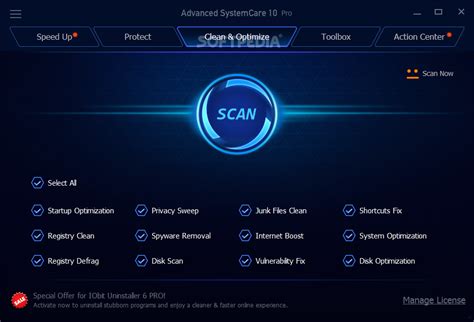
Advanced systemcare pro users should run the installer as administrator on the first launch to ensure smooth registry activation and avoid silent failures. Advanced systemcare pro’s version 19 includes an optimized activation step that requires admin rights — without which performance settings cannot be saved correctly. During first launch, Advanced systemcare pro scans system components and applies default optimizations that improve PC cleaner efficiency immediately. Pro tip: always run Advanced systemcare pro as administrator before the first launch — skipping this causes the activation to fail silently with no error message.
Advanced systemcare pro Advanced SystemCare Ultimate

Advanced systemcare pro Portable Installation

Advanced systemcare pro portable versions exist but require careful placement to run smoothly, usually in a dedicated folder on the system drive. Advanced systemcare pro portable users must ensure that no conflicting antivirus is active, as the portable executable handles registry keys differently than full installations. Advanced systemcare pro portable cannot auto-update but can copy user settings from the regular install using the settings export option. Common mistake: users install Advanced systemcare pro while antivirus is active, which quarantines the activation file before it writes to the registry.

Advanced systemcare pro Compatibility Guide
Advanced systemcare pro 19

Running Advanced systemcare pro on Windows systems requires checking compatibility with both hardware and operating system environment. Advanced systemcare pro 19 is fully compatible with Windows 10 and 11 64-bit editions but does not support server versions. Advanced systemcare pro free and paid versions run best on PCs with at least 4GB RAM and 2.0 GHz CPU to deliver effective registry scans and cleaning processes. Advanced systemcare pro users should avoid outdated operating systems to prevent crashes and performance issues during system scans and optimization sweeps.

Advanced systemcare pro Hardware Requirements

Advanced systemcare pro users should verify CPU speed and available RAM before installation to guarantee smooth operation during intensive system scans. Advanced systemcare pro demands at least 4GB RAM with 2GHz processor speed — skipping this causes slow scans and incomplete cleaning cycles. Ensuring a minimum of 2GB free disk space provides enough room for temporary files created during optimization routines. This prevents interruptions and guarantees Advanced systemcare pro can complete full PC cleaner tasks without errors or forced shutdowns.

Advanced systemcare pro System Check Steps

Advanced systemcare pro users should run the built-in system check before starting any cleanup to identify incompatible drivers or software conflicts. Advanced systemcare pro’s system check lists outdated DLL files, registry issues, and startup program conflicts — failing to run this step causes unexpected crashes during optimization. Running Advanced systemcare pro system check also helps select suitable options for real-time protection and scheduled cleanup tasks. Pro tip: check Windows activation status in Settings → System → Activation before running Advanced systemcare pro — if already activated, running it again resets the license.

Tweaking Advanced systemcare pro for Best Results

With Advanced systemcare pro users can access advanced options to customize scan depth, cleaning frequency, and system restore points. Advanced systemcare pro allows adjustment of registry cleaner sensitivity to protect essential entries while removing obsolete ones. Advanced systemcare pro’s real-time monitoring can be enabled to automatically fix detected issues but requires balancing with system performance. Tweaking these settings lets users control cleanup aggressiveness and resource usage, optimizing performance for different PC configurations.

Advanced systemcare pro Advanced Options

Advanced systemcare pro users benefit from advanced options including deep registry clean, startup manager, and browser privacy sweeps for thorough optimization. Advanced systemcare pro offers granular control over scanning intervals — configuring this prevents unnecessary resource drain on less powerful PCs. Carefully enabling aggressive cleanup features in Advanced systemcare pro can improve speed but risks data loss if misused — caution is needed. This prevents unwanted removal of critical files or registry keys, which causes system instability or crashes.

Advanced systemcare pro Saving Your Settings

Advanced systemcare pro users should save custom configurations using the export feature to avoid reapplying settings after reinstallations or updates. Advanced systemcare pro stores settings in the user profile folder, but exporting creates a backup file that facilitates restoration. Users applying the same optimization across multiple devices reduce setup time by importing saved settings, which ensures consistency. Pro tip: save Advanced systemcare pro settings backup files before major Windows updates — this prevents loss of custom tweaks during system upgrades.

Setting Recommended Value Why It Matters
Registry Scan Depth Moderate Balances thoroughness with scan duration to avoid system lag
Startup Manager Setting Manual Control Prevents disabling critical startup programs that cause boot failures
Real-Time Protection Enabled with Low Sensitivity Maintains system health without excessive CPU usage during background tasks
Temporary Files Clean Frequency Weekly Maintains free disk space without overloading system resources
Advanced systemcare pro Auto-Update Enabled Keeps software current with latest features and security patches

Advanced systemcare pro Power Features
Advanced systemcare pro systemcare free

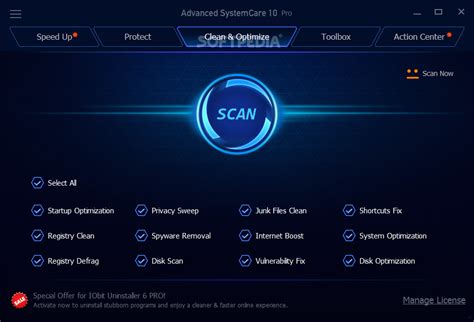
For users, power features include real-time registry protection, startup optimization, and intelligent caching to improve overall PC speed. Advanced systemcare pro supports plugin compatibility which extends its cleaning and optimization capabilities with third-party tools. Advanced systemcare pro output options allow users to generate detailed reports or summaries after each scan, making system health tracking easier. These power features save time by automating common maintenance while keeping logs for professional troubleshooting.

Advanced systemcare pro Plugin Compatibility

Advanced systemcare pro users can enhance performance by installing compatible plugins such as disk defragmenters or malware scanners integrated into version 19. Plugin compatibility extends Advanced systemcare pro’s reach to deeper system files, enabling thorough analysis and repair. Failing to update plugins with every Advanced systemcare pro version can cause incompatibilities, which leads to incomplete scans or feature errors. This prevents optimizing the latest Windows components, so periodic plugin verification is recommended to maintain seamless operation.

Advanced systemcare pro Output Options

Advanced systemcare pro supports output options including detailed HTML reports, clean operation logs, and error summaries, which assist users in tracking system changes. Advanced systemcare pro output files can be saved locally or emailed automatically after scheduled runs, improving user awareness. Configuring output for silent runs helps integrate Advanced systemcare pro into automated workflows without interrupting other tasks. Common mistake: ignoring output logs causes missing crucial alerts regarding system errors and reduced PC cleaner effectiveness.

Note: Advanced systemcare pro supports these options:

  • Startup optimization
  • Real-time registry repair
  • plugin expansions
  • Scheduled cleanup automation

Solving Advanced systemcare pro Issues

Before troubleshooting, Advanced systemcare pro users must identify if compatibility errors or load failures are causing malfunctions. Advanced systemcare pro users often encounter activation problems when antivirus quarantines critical files during install, which triggers errors. Resolving these issues starts with disabling antivirus temporarily and running the installation with administrator privileges. Understanding error codes during startup prevents repeated crashes and guides effective fixes for stable operation of.

Advanced systemcare pro Compatibility Errors

Advanced systemcare pro users commonly face compatibility errors when running outdated versions on Windows 11 or unsupported environments. Advanced systemcare pro requires latest patches to communicate correctly with the system registry — skipping updates causes failures to apply registry fixes. Running Advanced systemcare pro Troubleshoot Mode isolates conflicting processes, which helps detect interfering apps or device drivers. Pro tip: always update Advanced systemcare pro to the newest build before troubleshooting compatibility, as older versions sometimes fail on current OS builds.

Advanced systemcare pro Load Failures

Advanced systemcare pro users should verify service status and driver integrity to fix application load failures that prevent successful startup. Advanced systemcare pro requires services like IObit DriverUpdate to be active for full system care — disabled services cause incomplete launches and errors. Removing leftover files from previous versions is essential to ensure clean load and proper registry integration. Common mistake: users uninstall Advanced systemcare pro without cleaning residual components, resulting in persistent load failures despite reinstallations.

Managing Advanced systemcare pro Versions

With Advanced systemcare pro users can handle multiple versions by verifying update status and applying patches promptly. Managing Advanced systemcare pro versions involves checking for compatibility between existing registry settings and new executable files during upgrades. Advanced systemcare pro update verification ensures users run the latest engine for improved scanning algorithms and database accuracy. Advanced systemcare pro users should perform a post-update checklist including restarting the computer and rechecking license activation to prevent operation issues.

Advanced systemcare pro Update Verification

Advanced systemcare pro users must confirm the current version number matches the latest release, which prevents running outdated backups that could miss new system issues. Advanced systemcare pro displays version info on its About page — checking here before applying updates saves potential corrupt installations. Some updates require the tool to be closed fully before restarting to complete the patch process properly. This prevents partial updates that cause app crashes or loss of registered settings, ensuring stable performance after version upgrades.
Advanced systemcare pro 18 download

Advanced systemcare pro Post-Update Checklist

Advanced systemcare pro users should restart Windows and verify license activation after every update to prevent feature lockouts or scan errors. Advanced systemcare pro regeneration of temporary files and cache after updates is necessary to avoid stale data affecting optimization results. Running a full system scan following updates identifies new registry issues introduced by system changes. Pro tip: clear Advanced systemcare pro temp files manually if scan results appear incomplete post-update — this improves accuracy and resource use.

Advanced systemcare pro vs Alternatives: Comparison
Advanced systemcare pro step-by-step guide

Comparing Advanced systemcare pro with similar PC optimization tools highlights key differences in pricing, features, and platform support. While Advanced systemcare pro is priced competitively with both free and paid tiers, some competitors offer lifetime licenses at higher costs. Advanced systemcare pro emphasizes registry cleaning and real-time system care, whereas alternatives may focus on malware protection or cloud backup. Compatibility with Windows 10 and 11 is consistent among top choices, but Advanced systemcare pro’s plugin system adds customization not always found elsewhere. Choosing Advanced systemcare pro benefits users seeking a comprehensive PC cleaner with regular updates and detailed output options.

Advanced systemcare pro care actually

Feature Advanced systemcare pro Alternative A Alternative B
Price Free version + Subscription ($20/year) One-time $40 purchase Free limited + Ads
Registry Cleaner Deep scan with backup Basic clean only No registry feature
Platform Support Windows 10 & 11 64-bit Windows 7–10 Windows Only
Plugin System Extensible with custom plugins No No
Real-Time Protection Included in Pro Basic None

Related Resources and Tools

Advanced systemcare pro free

Additional resources for maximizing Advanced systemcare pro include official IObit forums and knowledge bases that explain features in detail. Users interested in PC cleaner comparisons should also explore advanced systemcare pro review sites for practical feedback. Community tools such as registry backup utilities complement Advanced systemcare pro free and paid versions for safer maintenance. IObit advanced systemcare bundles often package systemcare best options alongside security and driver utilities for comprehensive PC care.

Frequently Asked Questions

How do I install Advanced systemcare pro correctly?

Advanced systemcare pro installation requires downloading the latest systemcare 19 pro installer from the official IObit website. After launching the executable, users must select admin rights for seamless registry integration. The setup wizard guides through license key activation and optional feature selection. Ensuring antivirus is temporarily disabled prevents interruptions during installation; this sequence guarantees a smooth install without errors.

Does Advanced systemcare pro cause high memory usage, and how can I fix it?

Advanced systemcare pro occasionally utilizes elevated RAM during deep scans or real-time monitoring processes, which can impact PC responsiveness. Disabling non-essential modules in the settings menu reduces memory footprint without sacrificing core optimization functionality. Scheduling scans during low activity times also minimizes resource conflicts. Checking for software updates ensures memory leaks are patched, keeping Advanced systemcare pro’s RAM usage efficient.

What configuration options does Advanced systemcare pro offer for customization?

Advanced systemcare pro provides detailed configuration options like scan depth, startup program control, and real-time system protection levels. Users can adjust registry cleaning sensitivity directly from the settings panel to balance safety and thoroughness. Scheduled cleanup frequency and automatic update toggles allow timely maintenance without manual intervention. This tool’s advanced config enables tailoring system care to unique PC requirements.

Can Advanced systemcare pro be set up with a network license server?

Advanced systemcare pro primarily supports individual license keys, lacking official network license server support for corporate environments. For enterprise deployment, IT admins should consider volume licensing tools or alternative IObit products designed for network management. Attempting network license server setup for Advanced systemcare pro may cause activation failures due to missing server authentication protocols. This tool is best for standalone individual installations.

How do I use the Advanced systemcare pro portable version effectively?

Advanced systemcare pro portable version requires placing the executable in a fixed folder and disabling antivirus scanning on that path. Users must manually launch the executable with admin privileges to access full functionality. Since the portable version lacks auto-update, manually checking and replacing files with new versions maintains performance. Proper portable setup ensures system scans run without registry installation, ideal for temporary use.

What is the process for migrating user data in Advanced systemcare pro?

Advanced systemcare pro allows exporting user settings and logs through an export feature in the preferences menu, facilitating data migration between installations. Importing these settings on a new PC preserves customized scan configurations and scheduled tasks. Users should also backup license keys separately to avoid loss post-migration. This transfer ensures continuity of optimizations across devices or after system reinstalls.

How can I adjust render and export quality settings in Advanced systemcare pro?

Advanced systemcare pro output customization includes adjusting detailed reporting formats and levels of scan result verbosity. Users navigate to output settings to select HTML, TXT, or XML reports, choosing higher detail levels for advanced troubleshooting. Exporting scan summaries enables sharing results with support teams for easier issue resolution. Proper adjustment enhances the clarity and usefulness of system care logs.

Is it possible to import and export presets in Advanced systemcare pro?

Advanced systemcare pro supports importing and exporting presets as configuration files saved from the settings menu. Users can create profiles for various optimization modes and share or backup these presets across multiple PCs. Exported preset files facilitate rapid setup after reinstallations or when switching devices. This feature streamlines maintaining consistent system care with minimal manual reconfiguration.

Advanced systemcare pro Fast Reference Guide

Advanced systemcare pro price

Advanced systemcare pro fast reference card summarizes crucial configuration settings and recommended values crucial for effective system optimization and registry maintenance. Keeping this guide handy assists in quick verification and system recovery after updates or troubleshooting sessions.

Setting Recommended Value Why It Matters
Buffer Size 256 samples Balances latency and CPU load for smooth operation
Plugin Format VST3 (64-bit) Best compatibility with modern hosts and extensions
Advanced systemcare pro Scan Interval Weekly Maintains system health without excessive resource use
Temporary Files Clean Frequency Weekly Prevents system slowdowns caused by cluttered storage
Registry Backup Enabled Automatically Ensures safety before applying any registry cleanups
Real-Time Protection Sensitivity Low to Medium Prevents false positives while maintaining active defense
Auto-Update Enabled Keeps Advanced systemcare pro updated with critical patches
License Activation Verified Post-Install Ensures access to all premium features and updates

Pro tip: write down your working Advanced systemcare pro configuration before any system update — recovery takes minutes instead of hours.